DualMac vs Screens 5: price, platforms and network compared
Last updated: November 24, 2026 · By Jérémie Aouate
Short answer
DualMac and Screens 5 both control a Mac from an iPad or an iPhone through macOS Screen Sharing. Screens 5 also runs on Mac and Apple Vision Pro, connects to Windows, Linux and Raspberry Pi, and has its own remote access service, Screens Connect. DualMac connects to Macs only, needs no account, and reaches a Mac away from home through your own Tailscale tailnet or an SSH tunnel.
This page was written by the publisher of DualMac. Every line about Screens 5 comes from Edovia's App Store listing or Edovia's own pages, read on November 24, 2026 and listed under Sources. Prices are those of the United States App Store, in US dollars, on that date.
Side by side
| Topic | DualMac | Screens 5 |
|---|---|---|
| Publisher | Marius Labs | Edovia Inc. |
| Price | Free download | Free to download, with in-app purchases: Monthly Subscription $4.99, Yearly Subscription $29.99 (a second yearly item is listed at $29.49), Lifetime $249.99. Edovia offers a 7-day free trial. |
| Connect from | iPad with iPadOS 17.6 or later, iPhone with iOS 17.6 or later | iPhone with iOS 17.6 or later, iPad with iPadOS 17.6 or later, Mac with macOS 14.0 or later, Apple Vision Pro with visionOS 26.6 or later |
| Connect to | Macs with Screen Sharing turned on. Not Windows, Linux or Raspberry Pi. | Mac, Windows PC, Linux PC and Raspberry Pi. Not iPhone, iPad or Vision Pro. |
| On the Mac | Screen Sharing, built into macOS. The DualMac Companion is optional. | Screen Sharing, built into macOS. Screens Connect for remote access over the internet. |
| Network | Local network, your own Tailscale tailnet, or an SSH tunnel. No relay server. | Local network, Screens Connect, Tailscale integration, SSH connections with SSH keys. |
| Account | None, on the iPad, the iPhone or the Mac. | A Screens Connect account for remote access through Screens Connect. |
| Mac's audio | Not streamed. | With High Performance Screen Sharing on an Apple silicon Mac with macOS 14 or later. Not with Standard Screen Sharing. |
| Clipboard and files | With the DualMac Companion on the Mac, which needs Tailscale on both devices. | Clipboard sharing (text only with Windows and Linux) and file transfer between iPhone or iPad and Mac. |
| Mac with several displays | All the displays in one picture through Screen Sharing. Choosing a single display needs the DualMac Companion. | Choose one display or see them all at once. |
| Macs at once | One Mac shown and connected at a time. | More than one remote connection, in multiple windows. |
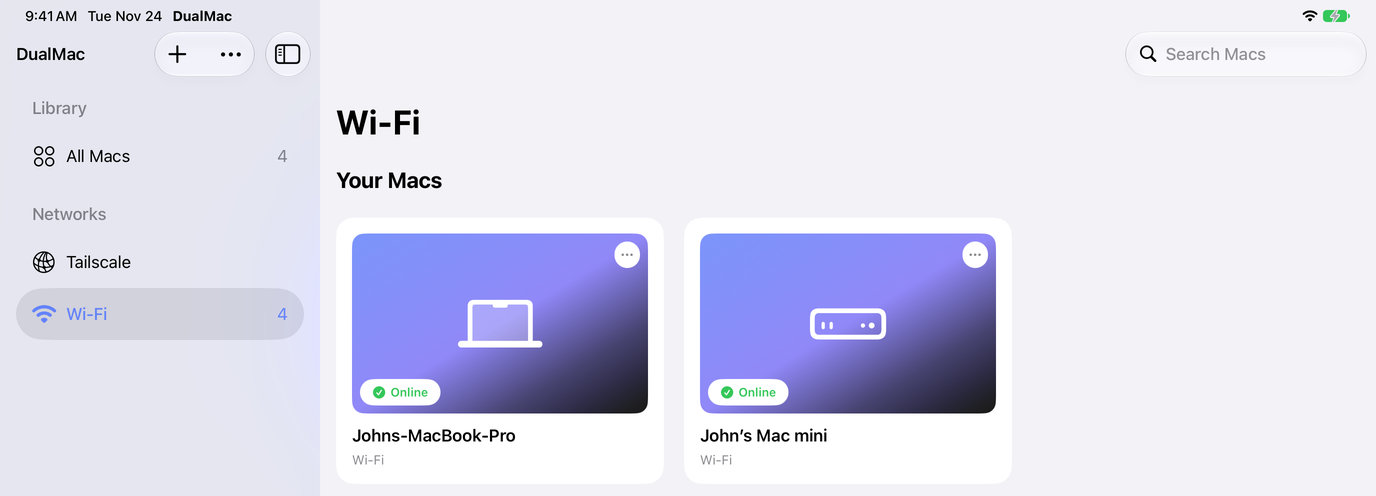
What Screens 5 does that DualMac doesn't
- Runs on Mac and on Apple Vision Pro, as well as iPhone and iPad.
- Connects to Windows PCs, Linux PCs and Raspberry Pi.
- Streams the Mac's audio, with High Performance Screen Sharing on an Apple silicon Mac with macOS 14 or later.
- Has its own remote access service, Screens Connect, built into Screens for Mac on macOS 14.6 or later, and available as a separate app for macOS 10.13 or later and Windows 10 or later.
- Shares the clipboard and transfers files between iPhone or iPad and Mac. In DualMac, both need the DualMac Companion on the Mac.
- Opens more than one remote connection at a time.
What DualMac does differently
On the pages we read, we found no DualMac function that the Screens 5 listing rules out. The differences on DualMac's side are in what it leaves out:
- No account anywhere: nothing to sign up for on the iPad, the iPhone or the Mac.
- No relay and no remote access service of its own: the screen goes over your local network, your Tailscale tailnet or an SSH tunnel, never through a DualMac server.
- The DualMac Companion, an optional and free menu bar app for macOS 14 or later, adds H.264 streaming, a shared clipboard, file transfer, waking the Mac and choosing which display to show.
DualMac's limits
- DualMac shows and connects to one Mac at a time.
- DualMac does not stream the Mac's audio.
- DualMac controls Macs only: it does not connect to Windows, Linux or Raspberry Pi computers.
- DualMac has no Apple Vision Pro or Apple Watch app.
- DualMac has no ready-made cloud relay: away from home, it needs Tailscale or an SSH tunnel to reach the Mac.
- The Companion's features need Tailscale on both devices.
Whatever app you use, never open port 5900 to the internet: reach the Mac through Tailscale or an SSH tunnel instead.
Related pages
- Alternatives to Screens and Jump Desktop on iPad and iPhone
- VNC clients for iPad
- Turn on Screen Sharing on your Mac and connect from iPad
Questions
Does Screens 5 need an account?
Remote access through Screens Connect uses a Screens Connect account. DualMac has no account at all.
Can DualMac connect to a Windows PC?
No. DualMac controls Macs only. Screens 5 connects to Mac, Windows PC, Linux PC and Raspberry Pi.
Do both apps work over Tailscale?
Yes. DualMac reaches a Mac away from home through your own Tailscale tailnet or an SSH tunnel. Screens 5 lists Tailscale integration alongside its own Screens Connect service.
Does either app play the Mac's sound?
Screens 5 streams remote audio with High Performance Screen Sharing on an Apple silicon Mac with macOS 14 or later. DualMac does not stream the Mac's audio.
Do I have to install something on the Mac?
DualMac needs only Screen Sharing, built into macOS; the DualMac Companion is optional. Edovia says Screens 5's High Performance Screen Sharing needs nothing extra on an Apple silicon Mac with macOS 14 or later, and uses Screens Connect for remote access.
Sources
- Edovia Inc., “Screens 5: VNC Remote Desktop”, App Store listing, United States, version 5.10.5 (prices, platforms, requirements, features). Publisher site: Screens. Checked on November 24, 2026.
- Edovia, Screens — Remote Desktop for iPhone, iPad, Mac & Vision Pro (7-day free trial, clipboard, files, displays, multiple windows). Checked on November 24, 2026.
- Edovia Support, Screens Connect Is Now Built Into Screens for Mac (Screens Connect account). Checked on November 24, 2026.
- Marius Labs, DualMac facts. Checked on November 24, 2026.
Screens 5, Screens Connect, Edovia, Tailscale and the other product names on this page belong to their owners. DualMac is not affiliated with or endorsed by any of them.